Getting Started with Metering
This guide walks you through setting up your first agent and seeing usage data in real-time. You’ll create an agent type, deploy an instance, integrate the SDK, and view live metering data.Step 1: Create Agent Type
An agent type defines what kind of AI service you’re offering. It’s like a template that describes your agent’s capabilities. Navigate to Agents > Types > Create New. Fill in the form with your agent details. Give it a name like “OCR Agent” and a description that explains what it does. The type field identifies the agent framework or technology you’re using.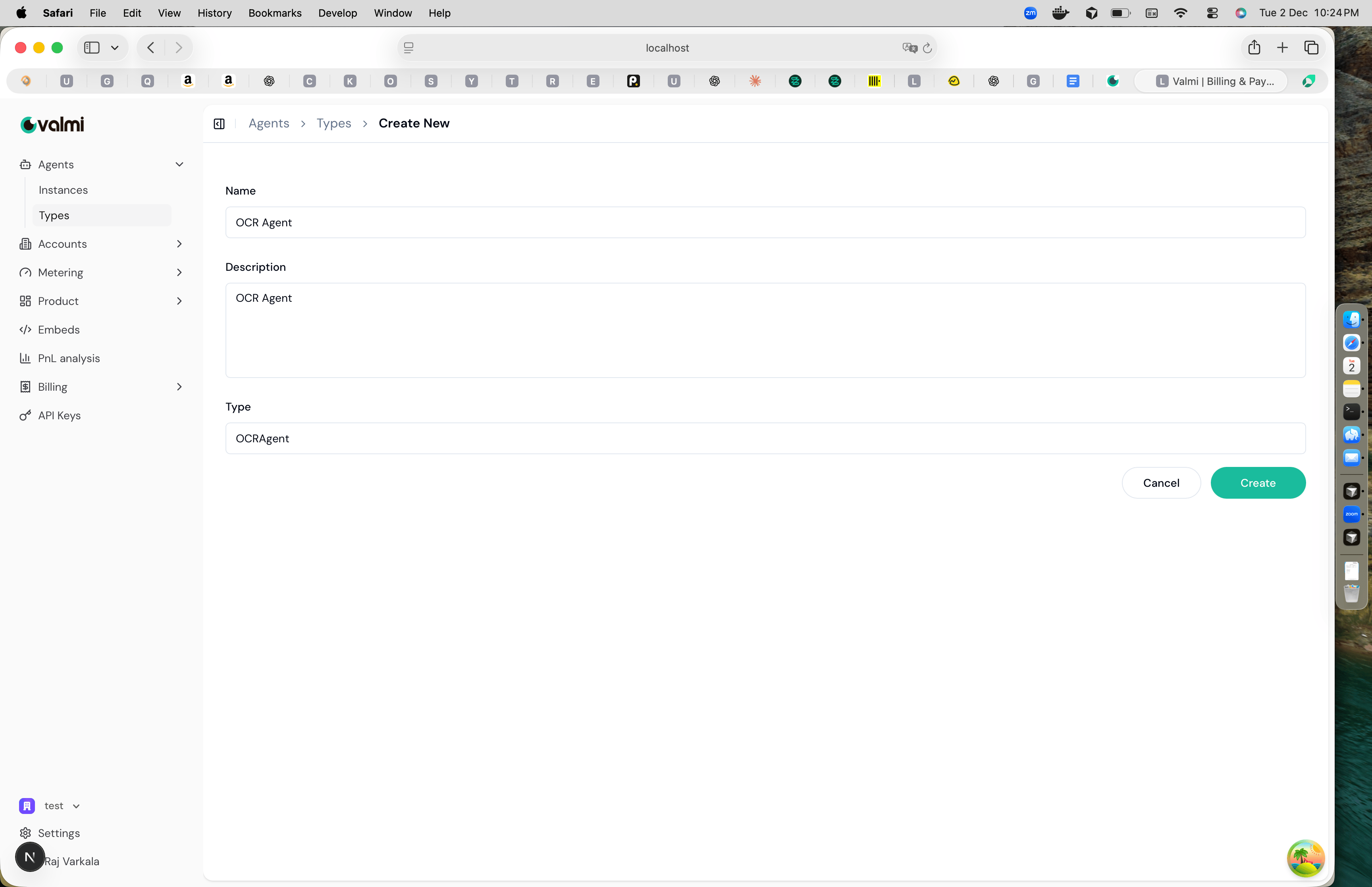
Step 2: Create Agent Instance
An agent instance is a specific deployment of your agent type. This is where your agent actually runs and sends usage data. Navigate to Agents > Instances > Create New. Fill in the instance details. Give it a name like “OCR Agent instance for Acme” and select the agent type you created. You can also associate it with an account and contact if you have those set up.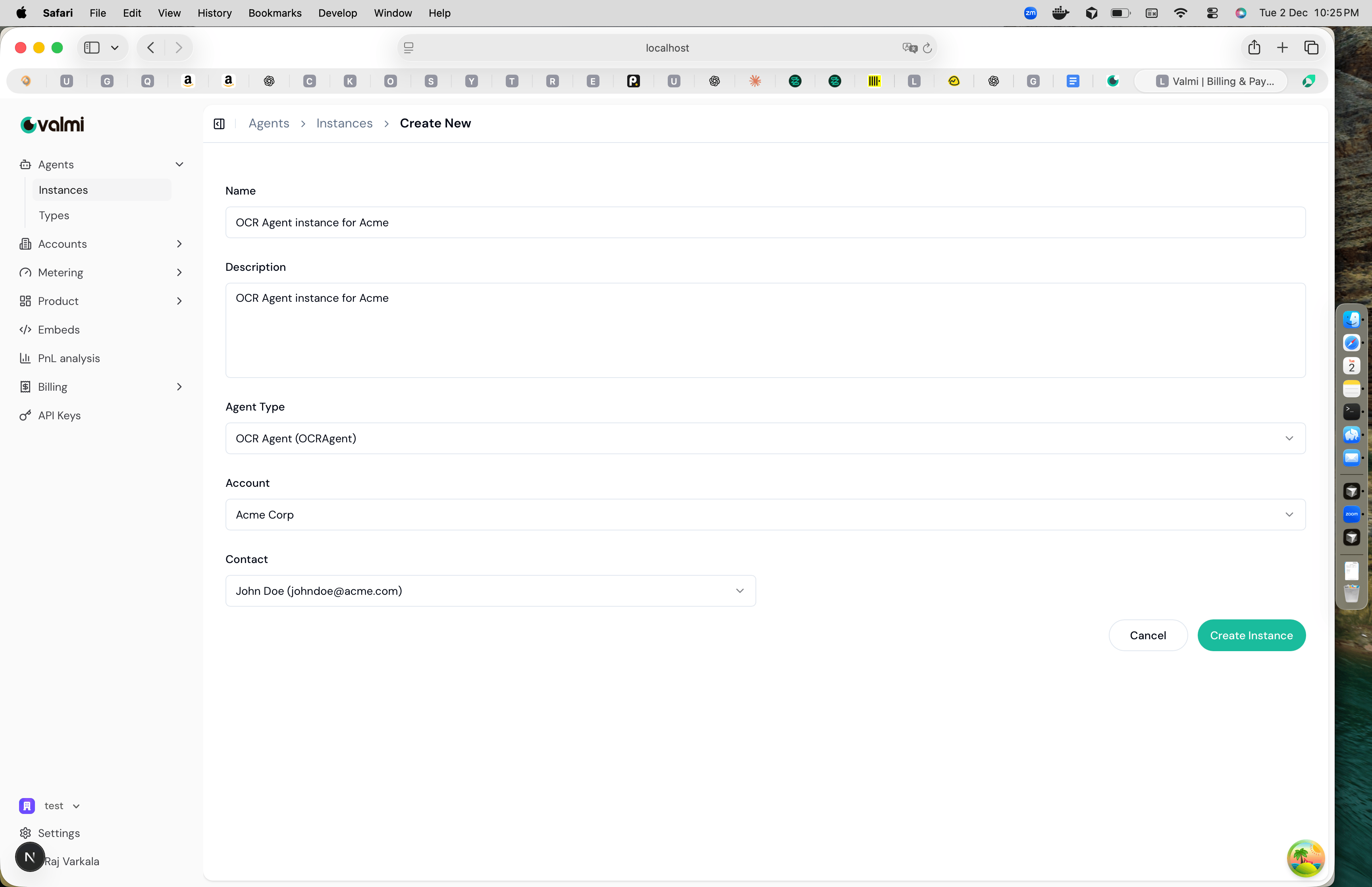
Step 3: Integrate SDK
Install the Valmi Value Python SDK and configure it with your instance’s secret token. First, install the SDK:VALUE_AGENT_SECRET environment variable to your instance’s secret token:
Step 4: View Live Metering
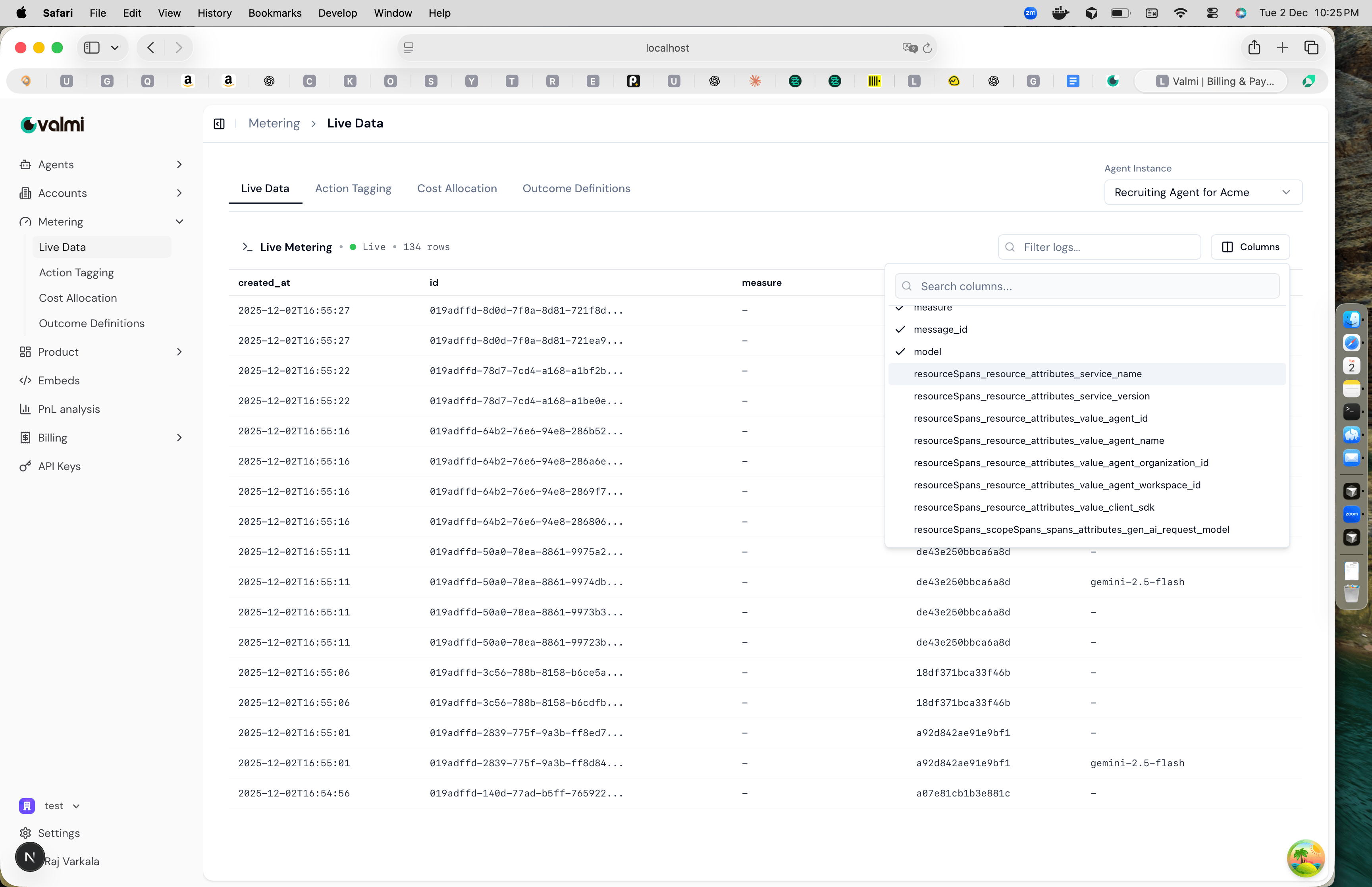
Once your agent is running and sending events, you can see the data in real-time. Navigate to Metering > Live Data. Select your agent instance from the dropdown. You’ll see a live stream of all actions as they happen, with details like timestamps, action IDs, and metadata.